Selection Region
Search Region
Users can enter a region of interest in the Search Input at the top navigation bar and click the search button to navigate to that interval. Supports rendering by RNA coordinates + flanking regions.

Highlight Region
-
Single selection
Hold the Mouse Right and drag over a region of interest to highlight it.
The highlight icon in the top-right corner toggles the visibility of the current highlighted region. -
Multiple selection
Hold Ctrl + Mouse Right drag to select and highlight multiple regions at once.
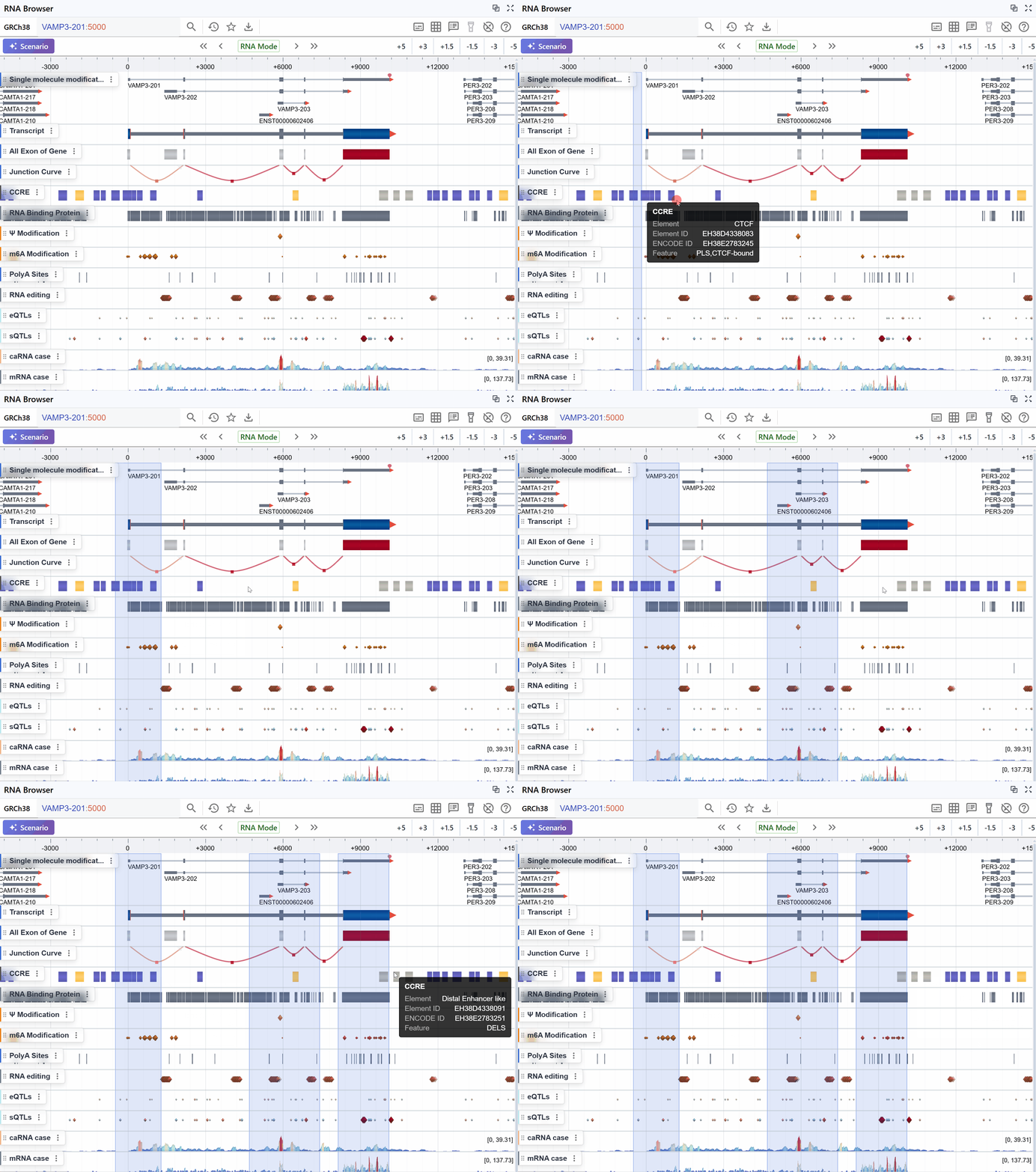
Region Management
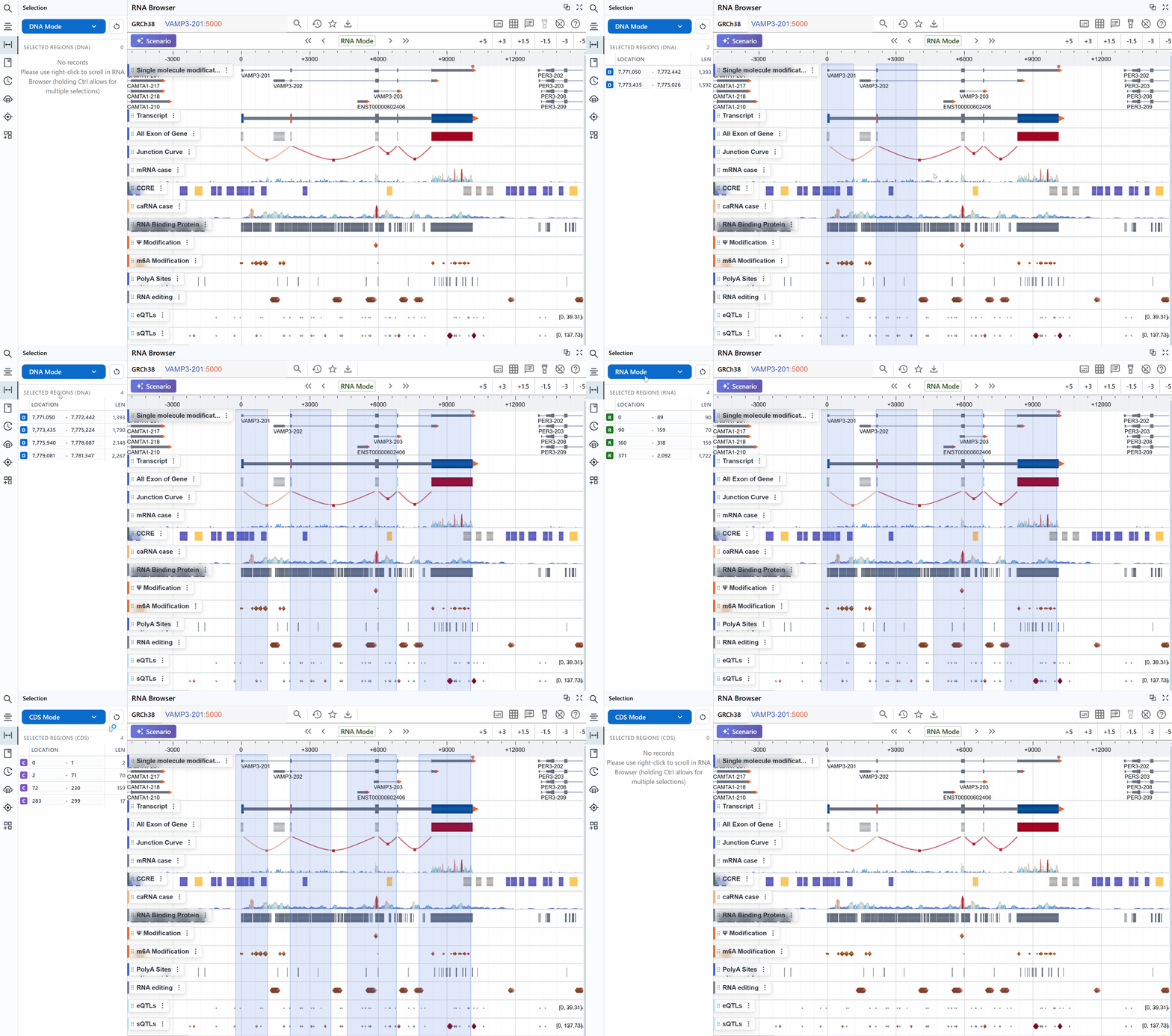
After selecting one or more regions, you can edit them in the Region Panel on the left sidebar.
Switching Region Modes
-
DNA Mode
Regions are displayed using traditional genomic (chromosome) coordinates.
-
RNA Mode
Regions record and display only intervals within the spliced transcript.
-
CDS Mode
Regions span only the coding sequence, skipping introns and UTRs.
Adding a Region
Click the + button in the panel’s top-right corner to add a new highlighted region.
Editing a Region
Click the start or end coordinate under Location to modify the selected region.
Removing a Region
Click the trash (delete) icon to remove the corresponding region.