Plugin System Overview
1. Introduction
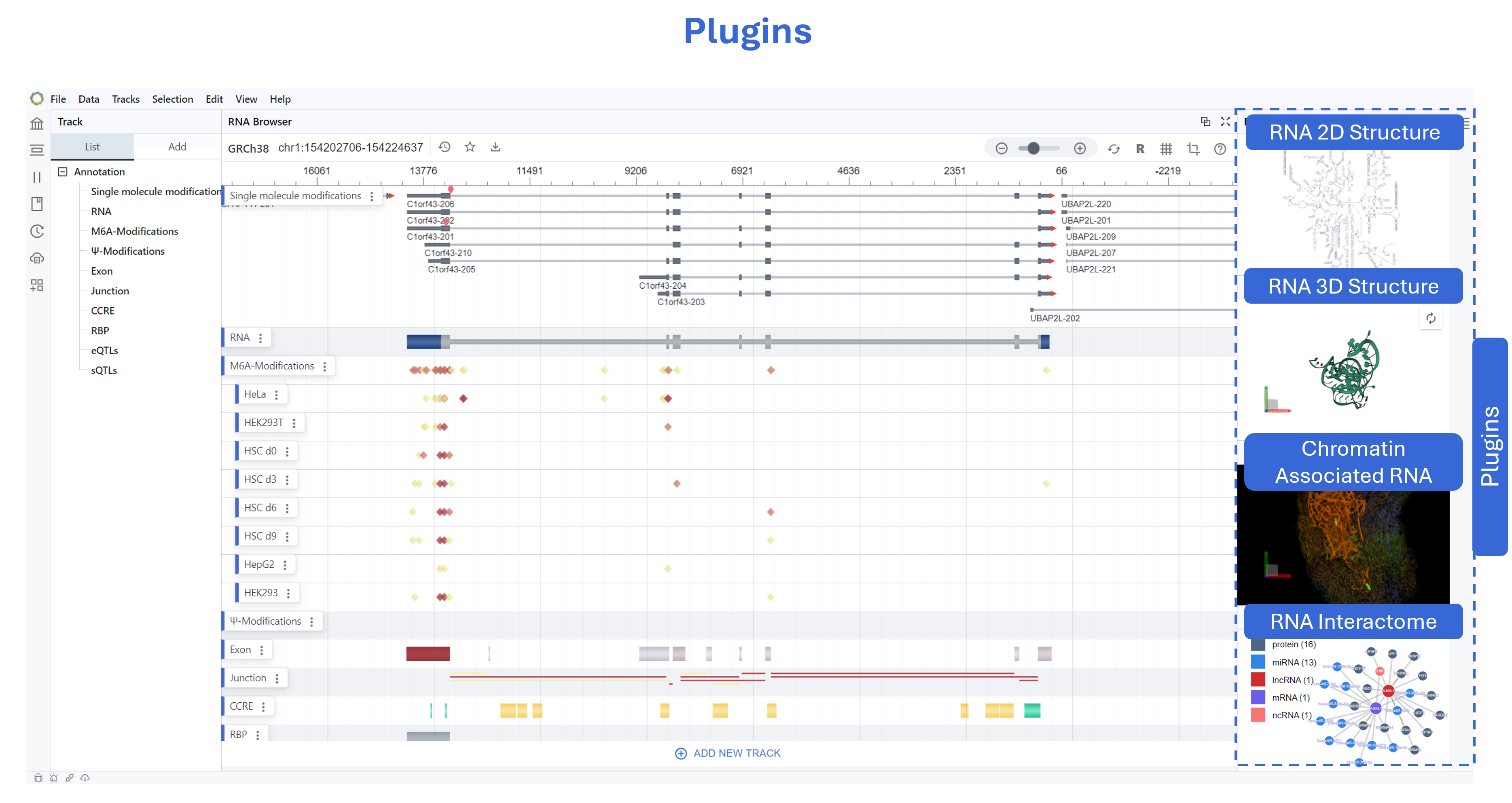
RBrowser is designed with a modular and extensible architecture, allowing researchers and developer to customize their analysis pipelines and integrate third-party tools. One of the key advantages of this design is the ability for different modules to communicate asynchronously, ensuring a seamless and integrated analysis experience. For example, selected linear track signals from transcriptome views can be dynamically displayed in RNA Structure or 3D Genome modules, enabling real-time visualization of transcriptomic features across multiple structural contexts. Key advantages include: Microkernel-Based Plugin System – Enables seamless addition of new functionalities without affecting core browser viewer performance. - Independent Module Loading – Users can selectively load specific analysis tools for RNA structure, RNA modification analysis, or transcript quantification. Asynchronous Data Transmission Between Modules – Allows seamless interaction between different visualization layers, ensuring that selected transcript regions can be mapped across linear, secondary, and 3D genome contexts.
2. Dynamic Synchronization Across Plugins
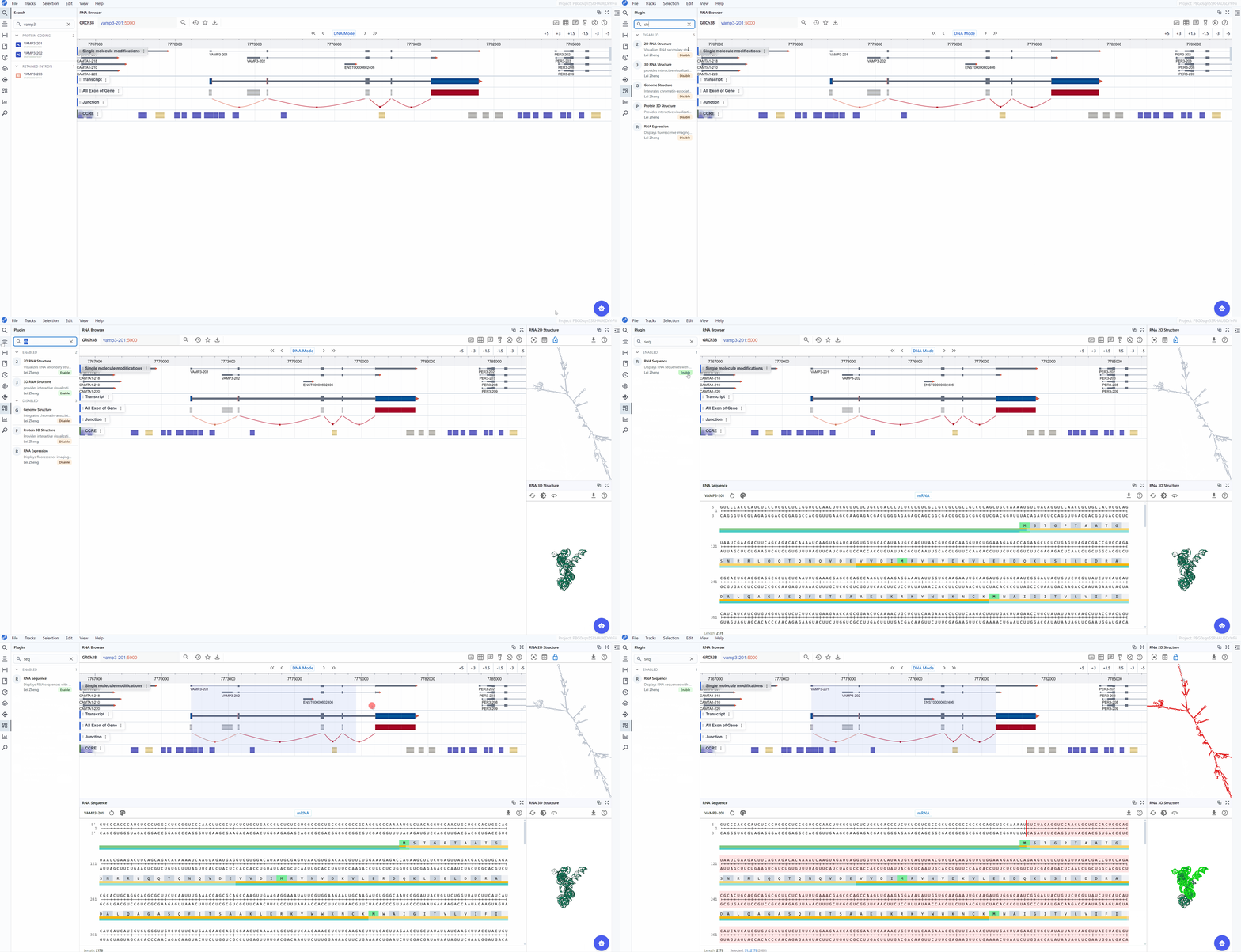
You can select a region of interest, and the plugins will automatically synchronize data dynamically.
RBrowser also supports mapping signal values (m⁶A, m⁵C, RNA structure probing, etc.) from tracks to plugin renderers.
It enables synchronization of transcript, gene, and other related data across all plugins without affecting the main application's performance.
3. Plugin Management
Plugin Enable
Open the plugin panel from the left sidebar, where you can view plugin names, brief descriptions, authors, and more.
Click the Disable status button in the bottom right to load the corresponding module into the rendering queue.
3.2 Plugin Disable
To remove a plugin, simply click the Enable status button.