DataHub
Overview
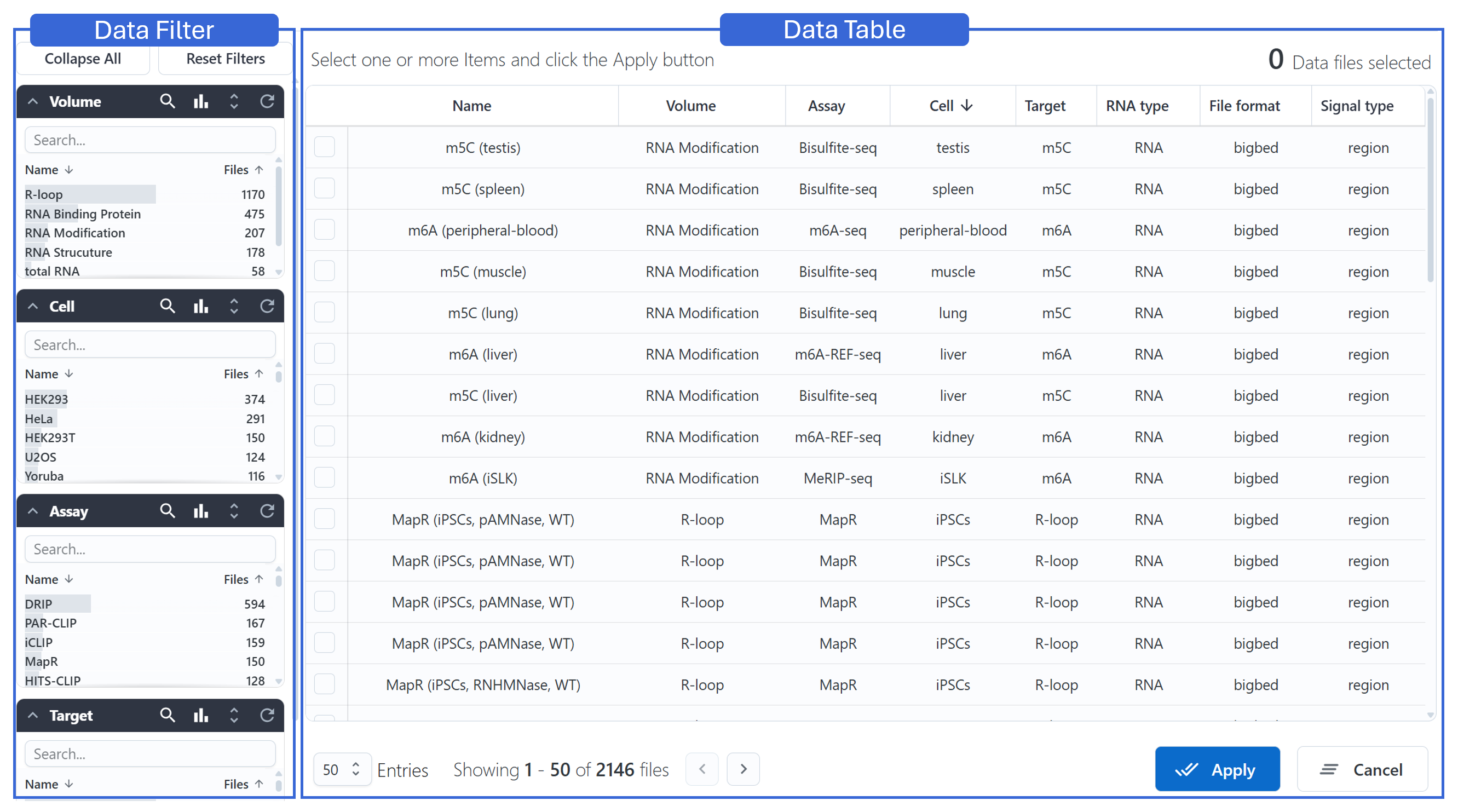
An RNA-focused DataHub has been established to store datasets related to the transcriptome, RNA modifications, and RNA structures.
The DataHub interface is divided into two main panels:
- Left: Data Filter — allows users to narrow down and search for relevant datasets using categorized filters.
- Right: Data Table — displays the filtered dataset entries, which can be further explored by clicking to asynchronously load and render the selected data.
Datasets Filter
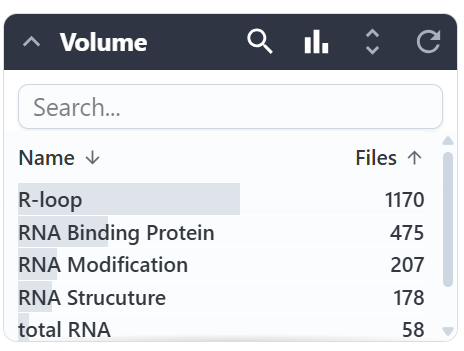
The renderer organizes filters into multiple sections, each with its own toolbar.
Using the Volume section as an example, the buttons from left to right represent:
- Collapse this section
- Show/hide the search bar
- Visualize item counts using bars for comparison
- Show all items in this section
- Reset the filter for this section
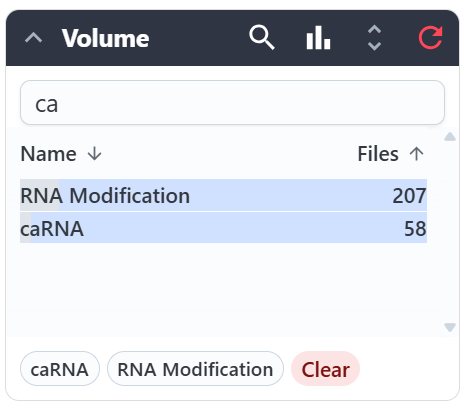
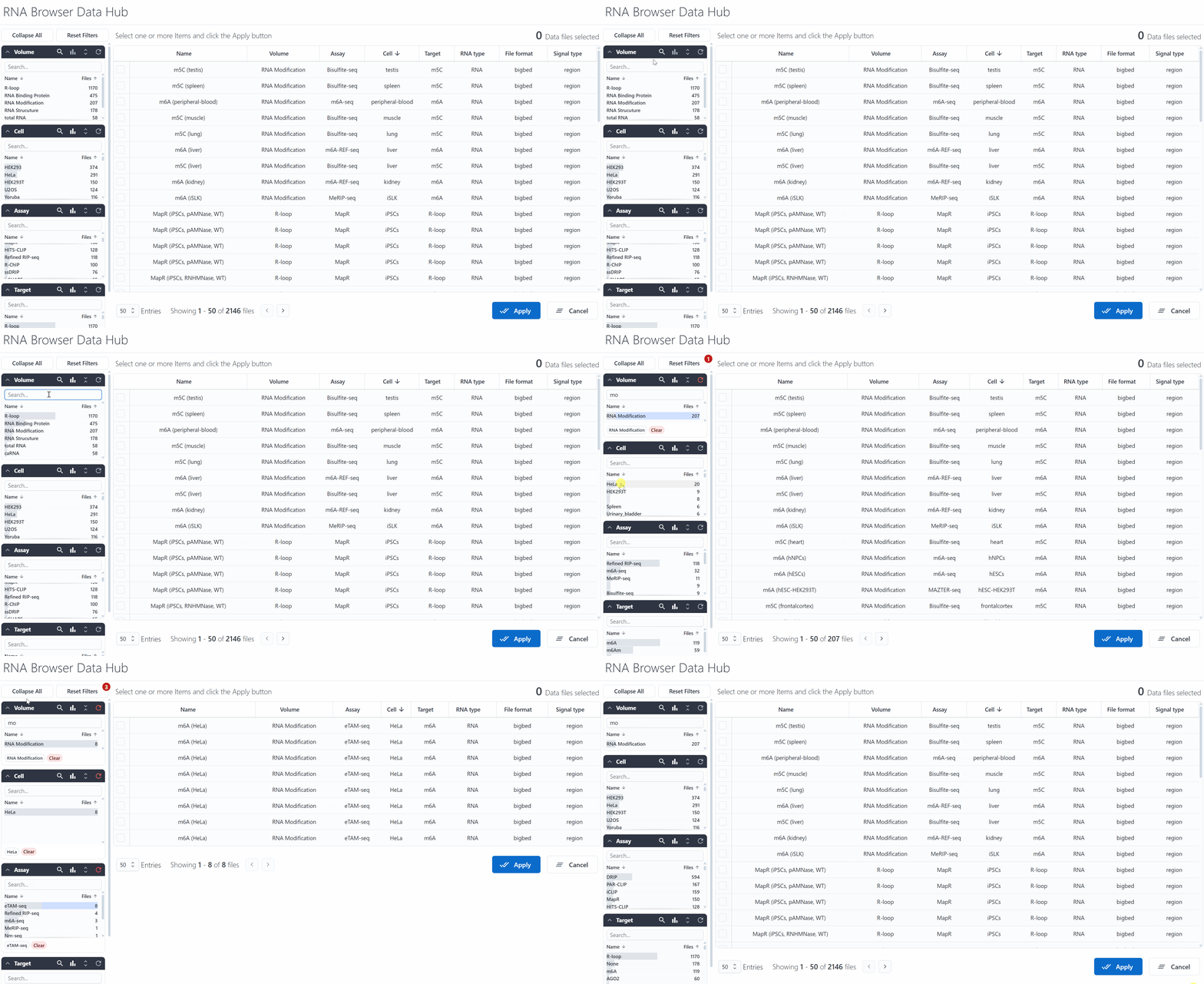
When items are selected from a search, they are displayed at the bottom of the section.
Clicking an item at the bottom will deselect it, and clicking Clear will remove all selections.
There are two global buttons:
Collapse All/Expand All: collapses or expands all sectionsReset Filters: clears all section selections; the top-right corner displays the number of selected terms
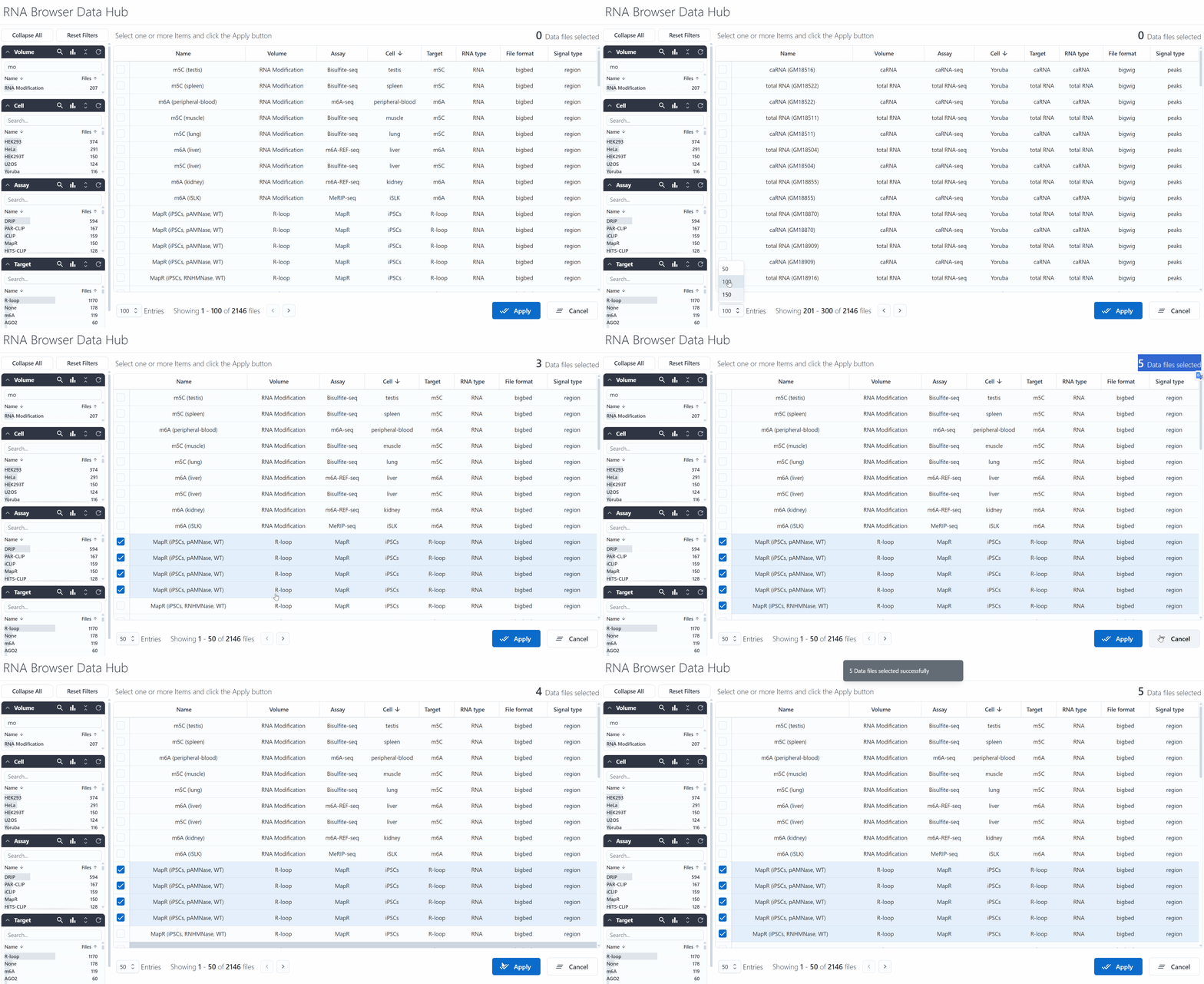
Below is an example of dynamic filter interactions:
Data Table
The data table on the right displays the selected entries based on current filters.
At the bottom-left of the table, there is a navigation bar with the following elements (from left to right):
- Number of entries displayed per page
- Current entry index and total entries
- Page navigation buttons

Below is an example showing how a user selects an item in the table and clicks Apply to send it to the main rendering panel: